How to Use a Chromatic Tuner
Everything you need to know about chromatic tuners — how they work, how to read the display, and how to use them for any guitar tuning.
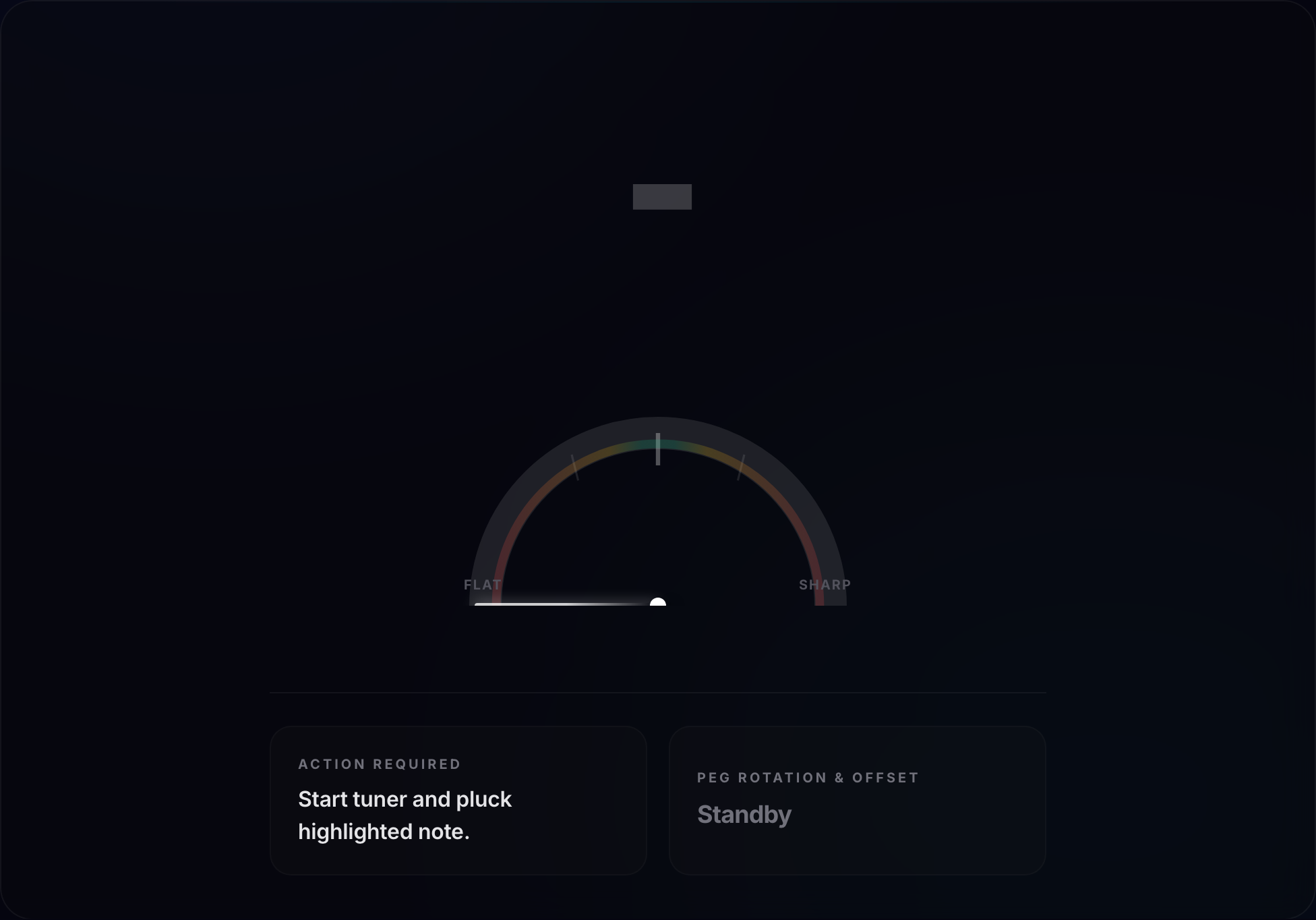
A chromatic tuner is the most essential tool a guitarist can own. It doesn't matter whether you're a beginner playing your first power chords or a seasoned professional recording in a studio — a reliable, accurate tuner is non-negotiable.
Understanding how to use a chromatic tuner well, including how to read the display, interpret cents, and use it for alternate tunings and intonation, will make you a more precise and self-sufficient musician.
What Is a Chromatic Tuner?
The word "chromatic" comes from the Greek word for color but in music means "involving all 12 semitones." A chromatic tuner can detect and display any of the 12 notes in Western equal temperament — not just the standard guitar notes, but every A, A#/Bb, B, C, C#/Db, D, D#/Eb, E, F, F#/Gb, G, and G#/Ab across all octaves.
This is in contrast to a standard guitar tuner, which is pre-set to recognize only E, A, D, G, B, and E (or similar fixed sets for bass or ukulele). Standard tuners are simpler to use but useless if you want to tune to alternate tunings like Drop D, Open G, or half-step down.
GuitarTunePro is a chromatic tuner — it uses your device's microphone to detect any pitch in real time and shows you the nearest note name plus how many cents flat or sharp you are.
Types of Chromatic Tuners
Clip-On Tuners
Clip-on tuners attach to your guitar headstock and use a vibration sensor (piezo pickup) to detect the string's pitch directly through the wood. They are unaffected by background noise — you can use them on a loud stage or in a noisy room.
They're compact, battery-powered, and usually cost $10–$30. Popular brands include Snark, D'Addario NS, and TC Electronic PolyTune Clip.
Pedal Tuners
Pedal tuners sit in your guitar signal chain and receive the signal directly from the guitar's output jack. They are extremely accurate, silent-switching (muting your signal while you tune), and highly durable.
Essential for any guitarist who plays live shows. The Boss TU-3 and TC Electronic PolyTune 3 are industry standards.
Rack Tuners
Used primarily in professional recording and live touring rigs. They are very large, extremely accurate, and usually receive signal through direct input. Not practical for casual guitarists.
Online / App Tuners
Apps and browser-based tuners like GuitarTunePro use the device's microphone to detect pitch. They are free, always available, and work on any device with a microphone.
They work best in reasonably quiet environments. The advantage is zero cost, no physical device to carry, and instant access from any phone, tablet, or computer.
Reading the Tuner Display
Every chromatic tuner, whether hardware or software, shows the same basic information:
- Note Name: The letter name of the closest detected note (e.g., "E", "A#", "D"). If your string is significantly off, the tuner will show the nearest note to whatever pitch it detects.
- Octave Number: Many tuners show which octave the note is in (e.g., E2, A2). This helps confirm you're not accidentally tuning an octave too high or low.
- Needle / Meter: A visual indicator showing whether you're flat (left), sharp (right), or in tune (center). The needle should be perfectly centered at 0.
- Cents Readout: A numeric display showing exactly how many cents flat (negative number) or sharp (positive number) you are. Target: 0 cents.
- Color Indicator: Most tuners use green for "in tune" and red (or orange/yellow) for out of tune.
Step-by-Step: How to Use a Chromatic Tuner
- Open GuitarTunePro (or launch your physical tuner) and start it. If using a microphone-based tuner, grant microphone permission and position your guitar's soundhole or pickup near the device's microphone.
- Pluck one string clearly. Pluck with a firm but not aggressive stroke. Let the string ring out for at least a second before reading the display.
- Read the note name. The tuner will display the nearest note it detects. If you're tuning the 6th string to E, confirm the display shows "E" (or E2 for low E). If it shows "Eb" or "F," your string is significantly flat or sharp — adjust accordingly before fine-tuning.
- Read the cents. Once the correct note name appears, look at the cents indicator. A negative value (or needle left) means flat — tighten the string. A positive value (or needle right) means sharp — loosen the string.
- Make small adjustments. Turn the tuning peg slowly. Small movements have large effects. Pluck the string after each adjustment and allow the reading to stabilize (about half a second) before turning again.
- Confirm 0 cents. When the needle is centered and the display reads 0 (and ideally turns green), the string is in tune. Move on to the next string.
- Do a second pass. After tuning all strings, go back and recheck each one. Changing string tensions affects the others slightly.
Using a Chromatic Tuner for Alternate Tunings
This is where chromatic tuners truly shine over standard guitar-specific tuners. To tune to Drop D, for example, you need the tuner to show "D" for the 6th string rather than "E." A standard tuner will flash an error or give confusing readings.
A chromatic tuner simply shows whichever note it detects — you just target the right letter.
For common alternate tunings, the target notes are:
- Drop D tuner: D-A-D-G-B-E
- Half-Step Down tuner: Eb-Ab-Db-Gb-Bb-Eb
- Open G tuner: D-G-D-G-B-D
- Open D: D-A-D-F#-A-D
- DADGAD: D-A-D-G-A-D
Simply tune each string to its target note at 0 cents, and your guitar is correctly tuned to the alternate tuning.
Using a Tuner for Intonation Checking
Beyond basic tuning, a chromatic tuner is also essential for checking and setting your guitar's intonation. The process:
- Tune the open string to 0 cents.
- Fret the string at the 12th fret and pluck.
- The 12th fret note should be exactly one octave higher — but the same note letter — and should read 0 cents on the tuner.
- If the 12th fret reads sharp, the saddle needs to move back (away from the nut).
- If the 12th fret reads flat, the saddle needs to move forward (toward the nut).
Tips for Getting Accurate Readings
- Tune in a quiet environment: Microphone-based tuners can be confused by background noise, conversation, or music playing nearby.
- Let the note stabilize: The initial attack of a plucked note is slightly sharp due to the extra force. Wait a half second before reading the cents.
- Always tune up to pitch: Approach the target note from below (too flat) to ensure the string is under firm tension in the nut slot.
- Check multiple times: If a string keeps reading inconsistently, the string may be old, damaged, or the nut slot may have friction issues.
- Use fresh batteries: Hardware tuners with low batteries give inaccurate readings.
Ready to tune? Try our free online chromatic guitar tuner — it works directly in your browser, requires no download, and covers standard tuning, Drop D, Open G, half-step down, and any other alternate tuning. See our measured accuracy data for exactly how precise it is.
Ready to tune?
Use Our Free Chromatic Guitar Tuner →About the author
Manusha Dananjaya
Developer & founder, GuitarTunePro
Manusha builds web tools and started GuitarTunePro after finding most free online tuners slow, ad-cluttered, or inaccurate. GuitarTunePro's pitch detection, tuning presets, and chord library are all custom-built and verified against equal-temperament reference frequencies rather than copied from another tool.
Frequently Asked Questions
What is the difference between a chromatic tuner and a standard guitar tuner?
A standard guitar tuner only recognizes the six standard notes (E, A, D, G, B, E) and is designed specifically for a 6-string guitar in standard tuning. A chromatic tuner can detect and display all 12 notes of the musical scale (all semitones), making it useful for any instrument, any tuning, and any pitch reference. GuitarTunePro is a chromatic tuner.
What does 'cents' mean on a guitar tuner?
Cents are a unit of musical pitch measurement. One semitone (the smallest standard interval in Western music) equals 100 cents. So 1 cent = 1/100 of a semitone. A tuner showing -10 cents means your string is 10 cents flat (too low). A reading of +5 cents means it's 5 cents sharp (too high). Target 0 cents for perfect pitch.
How accurate does a guitar need to be tuned?
For solo practice, ±5 cents is generally acceptable. For professional recording or playing with fixed-pitch instruments (piano, keyboards), aim for ±2 cents or better. For live performance, ±5 cents is usually fine since stage acoustics and band dynamics mask small pitch variations.
Why does my tuner show a different note than I expect?
If your string is significantly out of tune, the tuner may display the nearest detected note rather than the target note. For example, if the low E string is very sharp, it might register as an F. Continue tightening or loosening until the correct note name appears, then fine-tune to 0 cents.
Related Articles
How to Tune a Guitar for Beginners
Step-by-step guide for using a tuner for the first time.
Alternate Guitar Tunings
Use your chromatic tuner to explore Drop D, Open G, and more.
How to Intonate Your Guitar
Advanced tuner usage for setting proper intonation.
How to Tune a Guitar by Ear
Complement your tuner skills with ear training.